Back to School Money Card Bundle Design: Smart Choices for Creators and Educators
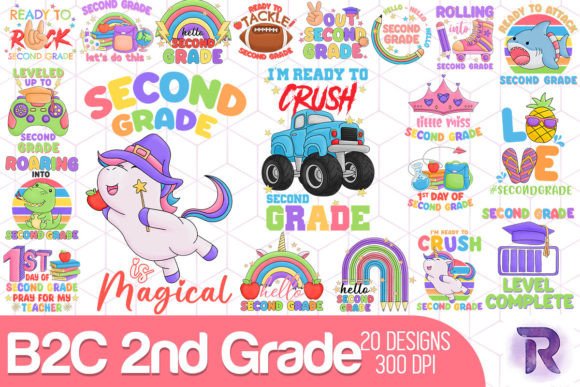
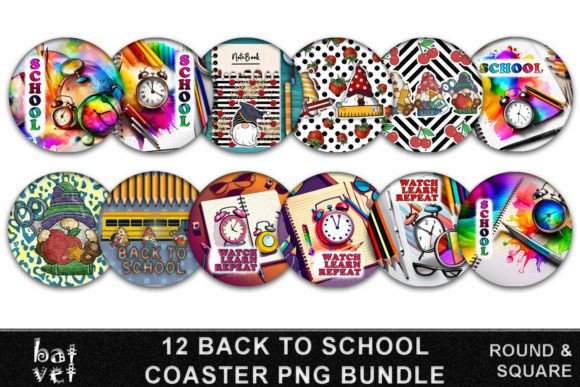
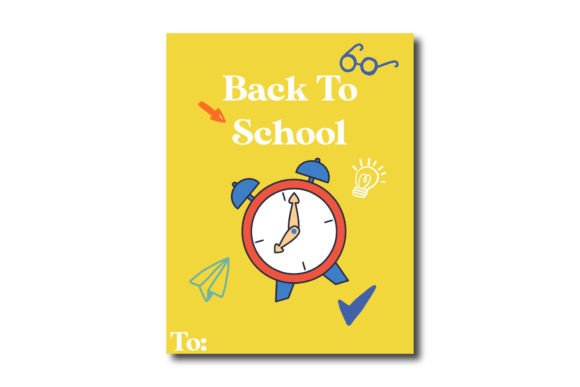
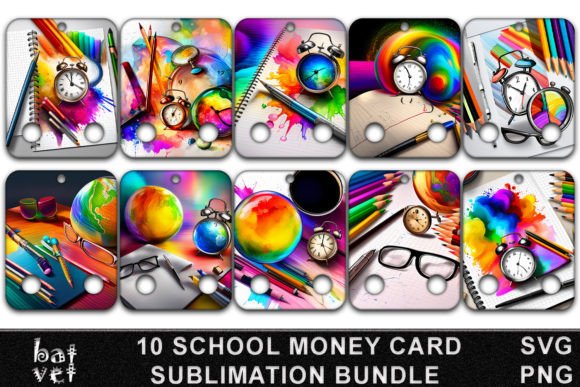
Whether you're launching a small business selling classroom-themed merchandise, designing custom rewards for students, or creating branded back-to-school kits for teachers and parents, the Back to School Money Card Bundle Design offers versatile, ready-to-use assets. This bundle isn’t just clipart—it’s a thoughtfully curated collection of sublimation-ready designs featuring rulers, pencils, paperclips, notebooks, alarm clocks, globes, glasses, coffee mugs, and rainbow colors—all sized at 4″×5″ and optimized at 300 dpi for crisp printing and cutting.
Why This Bundle Fits Real Needs (Not Just Trends)
Unlike generic school-themed graphics, this bundle is built for action: SVG, EPS, DXF, AI, PNG, and PDF files mean you can cut on Cricut or Silhouette machines, print on heat-transfer vinyl, or drop into Canva or Adobe Illustrator without reformatting. Educators use these cards as incentive tools—“earn a coffee card for perfect attendance” or “trade five notebook cards for a prize.” Small business owners apply them to mugs, tote bags, or laminated desk tags. Freelancers integrate them into digital planners or printable reward systems.
But here’s what many overlook before downloading: file readiness isn’t automatic. Just clicking the download link doesn’t make the files usable. You must unzip the archive—and save it somewhere you’ll remember. Too often, users double-click the ZIP, glance at the files inside, assume they’re ready, and then struggle when their cutting software won’t open the .SVG or their printer defaults to low-res preview mode.
1. Skipping the Unzip-and-Save Step
It seems obvious—but it’s the #1 reason people think the files “don’t work.” Your design software won’t read a file still nested inside a ZIP folder. Worse, if you save the unzipped folder to your Downloads directory and forget to rename it, you might end up with “BackToSchoolMoneyCardBundle_v2_2024_final_FINAL_v3.zip” buried under ten other downloads. That makes finding the right ruler SVG or coffee PNG next week frustrating—and wastes time you could spend designing or teaching.
Better approach: Right-click the downloaded ZIP > “Extract All” > choose a clear location like “Design Assets/BackToSchoolCards” > rename the folder simply (e.g., “BS-MoneyCards-2024”). Then open *that* folder—not the ZIP—to access individual files.
2. Assuming All File Types Work the Same Way
SVG and DXF are ideal for cutting machines—but only if your machine’s software supports them natively. Some newer Cricut models default to .PNG uploads, which lack cut lines unless you trace them manually. Meanwhile, EPS and AI files require vector-editing software (like Illustrator) to scale without pixelation—yet beginners often try opening them in PowerPoint or Google Slides, where they appear blurry or won’t load at all.
Better approach: Before downloading, check your tool’s supported formats. Use PNGs for quick prints or social media graphics. Use SVG/DXF for precise cutting. Open AI/EPS only in vector programs—and always scale from the original, not after exporting to JPEG.
3. Overlooking Print & Cut Alignment
The 4″×5″ size is intentional—it fits standard cardstock, fits in most laminators, and aligns cleanly with common print-and-cut templates. But if you scale the design up or down in your layout software without locking proportions, or if you ignore bleed settings in your printer driver, you risk clipped rainbows, cut-off pencil tips, or misaligned globe outlines.
Better approach: Keep dimensions locked. In your print dialog, select “Actual Size” (not “Fit” or “Shrink to Fit”). For best results, test one card first on plain paper—hold it against your intended cardstock to verify margins and color fidelity before running a full batch.
What to Check Before You Commit (or Click “Download”)
- Resolution confirmation: Every included PNG is 300 dpi—but verify by right-clicking > “Properties” > “Details” on Windows or “Get Info” on Mac. Low-DPI files may look fine on screen but blur when printed.
- Color mode: RGB is fine for screens and sublimation; CMYK is better for offset printing. This bundle uses RGB, which suits most home and small-batch printers—but if you’re sending to a commercial printer, ask if they need a CMYK version first.
- Usage rights clarity: These files are for personal *and* commercial use—no attribution required—but resale of the raw files (as-is) isn’t permitted. You *can* sell mugs or notebooks made from the designs; you *cannot* resell the SVG pack on Etsy as your own.
- Design cohesion: The rainbow colors aren’t random—they’re harmonized across all elements (glasses frames echo notebook lines; coffee steam curls match pencil graphite tones). If you plan to recolor, use the same palette to keep visual consistency across your product line.
Real Examples: When Attention to Detail Pays Off
A homeschool co-op leader used the globe + notebook combo to create “World Explorer” achievement cards. She initially printed them on matte cardstock—but realized the rainbow gradient looked washed out. Switching to semi-gloss improved vibrancy *and* made the laminate layer adhere more evenly. Another user, a café owner launching a “Teacher Appreciation Week,” paired the coffee mug design with the glasses icon on enamel pins. Because she checked the SVG’s stroke width before cutting, the tiny lens details stayed sharp—even at 1.25″ diameter.
These aren’t edge cases. They’re everyday decisions that separate polished, professional results from “good enough” outputs that quietly erode trust—whether with students, customers, or collaborators.
Final Thought: Design Is Preparation, Not Just Aesthetics
The Back to School Money Card Bundle Design gives you strong foundations—but its value multiplies when matched with intention. Take two minutes to unzip, name, and organize. Spend five minutes verifying file types and print settings. Let the rainbow colors guide your branding—not just decorate it. When you do, these rulers, pencils, and alarm clocks stop being icons and start becoming tools: for motivation, for clarity, for connection.
Click on link to download file. Remember: unzip, save, and verify—then create with confidence.